
WhatsApp orders: the 24-hour rule that decides what you can send
What a business can send on WhatsApp and when, what each message has cost since July 2025, and how a takeaway order fits inside that window.
When you connect your business's WhatsApp to a tool —any tool, not just ours— you start using Meta's WhatsApp Business platform. And that platform has a rule almost nobody explains when you sign up: a business cannot message a customer whenever it likes. It can reply to them.
This guide explains the rule, what it costs to get around it and what it means for a takeaway order. Everything said about WhatsApp comes from Meta's documentation, linked at the end and checked on 14 September 2026.
The 24-hour window
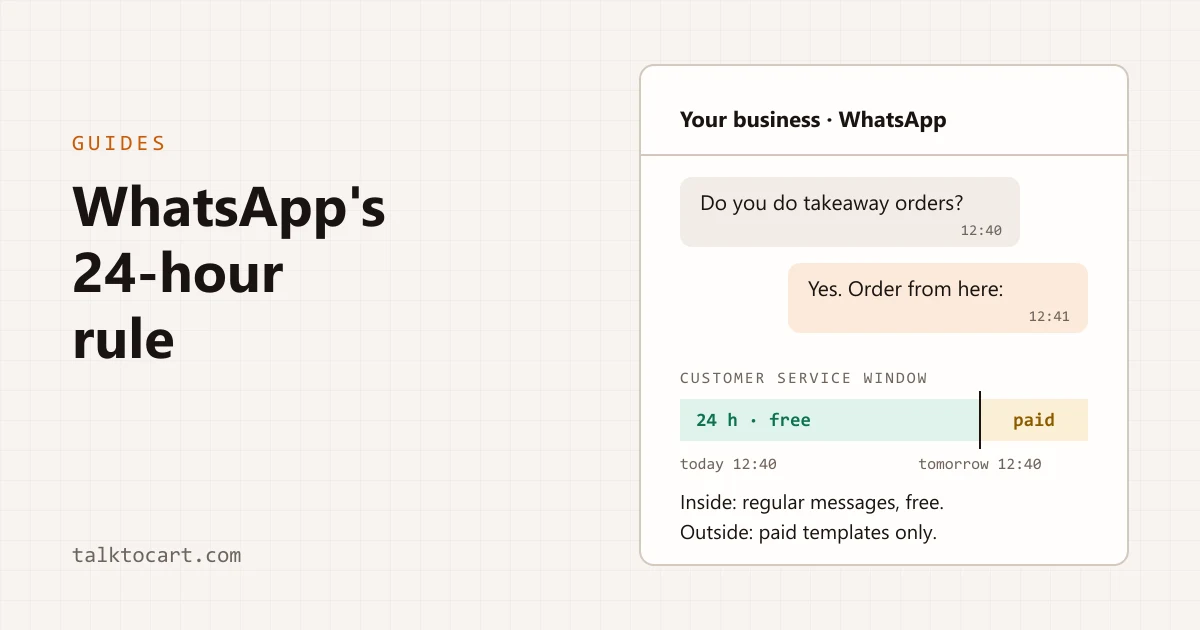
Meta calls it the customer service window, and it works like this:
- It opens when the customer messages you and lasts 24 hours from their latest message. Every time they write again, the clock starts over.
- Inside the window you can send them any regular message —text, photos, a list of options— and it's free.
- Outside the window you can only send templates: messages written in advance and approved by Meta. Since 1 July 2025, Meta charges for every template delivered, at a price that depends on its category and on the country of the number receiving it.
If you try to send a regular message outside the window, it doesn't arrive. WhatsApp rejects it with error 131047, which Meta's documentation describes as: more than 24 hours have passed since the recipient last replied.
What it means for a takeaway order
The good news is that the everyday case fits inside entirely. A customer messages you at 12:40 to collect lunch at 14:00: the confirmation, the payment link and the "it's ready" all go out long before 12:40 the next day. All inside, all free.
The trouble starts with anything that happens on another day:
- An order for Saturday placed on Thursday. If the customer doesn't write again, Saturday's "you can come and pick it up" falls outside the window and never reaches them.
- A "how was everything?" a week later. Outside, unless it's a template.
The practical way round it has no trick to it: ask the customer to message you on the day —"drop us a line when you leave home"— and the window opens again.
How TalkToCart works inside the window
Everything TalkToCart sends on WhatsApp is a regular message, not a template: it works inside the window and runs up no per-message charge from Meta. This is what it does:
- A button menu when the customer writes. If we haven't sent them the menu in the last day, or ever, they get a list with a "Menú" button: Último pedido (last order), Ver mis pedidos (my orders), Iniciar pedido (start an order), Horario (opening hours) and Información de la tienda (about the shop). The menu is in Spanish for now. Because it goes out right after their message, it always lands inside.
- Ordering without signing up. Iniciar pedido sends them a link to your shop, valid for one hour, and the customer orders from there without creating an account or a password.
- The order, in the chat. Último pedido shows them what they ordered and the final price, with two options: cancel it and, if it isn't paid yet and you have Stripe connected, pay by card into your own account.
- Status updates. When you change an order's status in the dashboard, you can tick a box to let the customer know. That update is a regular message: inside the window it arrives; outside, it doesn't.
- Automatic replies. On the paid plans you can reply only when a message contains a word —"hours", "menu"— or only to people writing to you for the first time. They are replies to a message, so they land inside too.
And what it doesn't do: it doesn't send templates. If you need to message someone outside the window, today that isn't from TalkToCart.
Your number and the app on your phone
When you connect WhatsApp from the dashboard you can use the number you already have on the WhatsApp Business app and keep using the app on your phone. Meta calls this coexistence, and it needs version 2.24.17 of the app or later.
Messages you send from the app are still free. What does change in the app, according to Meta, once the number is connected:
- Disappearing messages, view-once messages and live location stop working in one-to-one chats.
- Broadcast lists are switched off, and the ones you had become read-only.
- Groups don't go through the platform: they stay in the app and never reach any tool.
WhatsApp is on TalkToCart's paid plans, not on the free one.
In short
- The customer writes, and 24 hours of free regular messages open up.
- Outside those 24 hours, templates only, and they're paid.
- A same-day order fits entirely. For another day, ask them to write to you on that day.
- TalkToCart works inside the window: menu, ordering link, payment and updates.
Sources
- Meta, WhatsApp Business Platform pricing.
- Meta, WhatsApp API error codes.
- Meta, interactive list messages.
- Meta, coexistence with the WhatsApp Business app.
Checked on 14 September 2026.